by Christophe Vallois
October 21, 2026
6 min read
Modernise your accounting firm and stay on Winbiz
Automate data entry and document filing while keeping your accounting software: Winbiz stays your tool, Ketl handles the rest.

Cubic metres of binders eating into your premises. An inbox overflowing with scans and documents sent by clients. And, every month, the same hours spent retyping invoices into Winbiz by hand. If this daily routine sounds familiar, you have probably already thought about “modernising”. And you have probably hesitated too, because for many people modernising means replacing everything, relearning everything, risking everything.
Good news: it is about something else.
The real lever sits around your accounting software
Winbiz does very well what it was designed to do. The challenge for an accounting firm has always lain in everything around the accounting software: collecting documents, filing them, finding them again, then re-entering their content by hand. Add to that the burden of tracking and prioritising tasks.
Switching accounting system to solve this problem is often a false good idea. A migration takes months. Your staff and your clients must relearn their habits, your processes freeze while everyone adapts, and throughout this period your efficiency drops. In an accounting firm, the main cost is time, yours and your teams': it is your true limiting factor. Every hour spent learning a new tool, or fixing the hiccups of a migration, is an hour of lost value for your clients.
The real lever lies elsewhere: keeping what works and removing the low-value tasks that surround your accounting.
That is exactly the reasoning followed by an accounting firm we spoke with recently. It carried out its modernisation in stages, at a steady pace. First, it migrated all its data to Microsoft 365 to have a sound base and well-organised client folders on SharePoint. With this foundation in place, it is now taking on the stage that brings real added value: automating document processing and data entry in Winbiz. A pragmatic, sequential approach, where each stage consolidates the previous one.
Ketl's approach: an intelligence that adapts to your structure
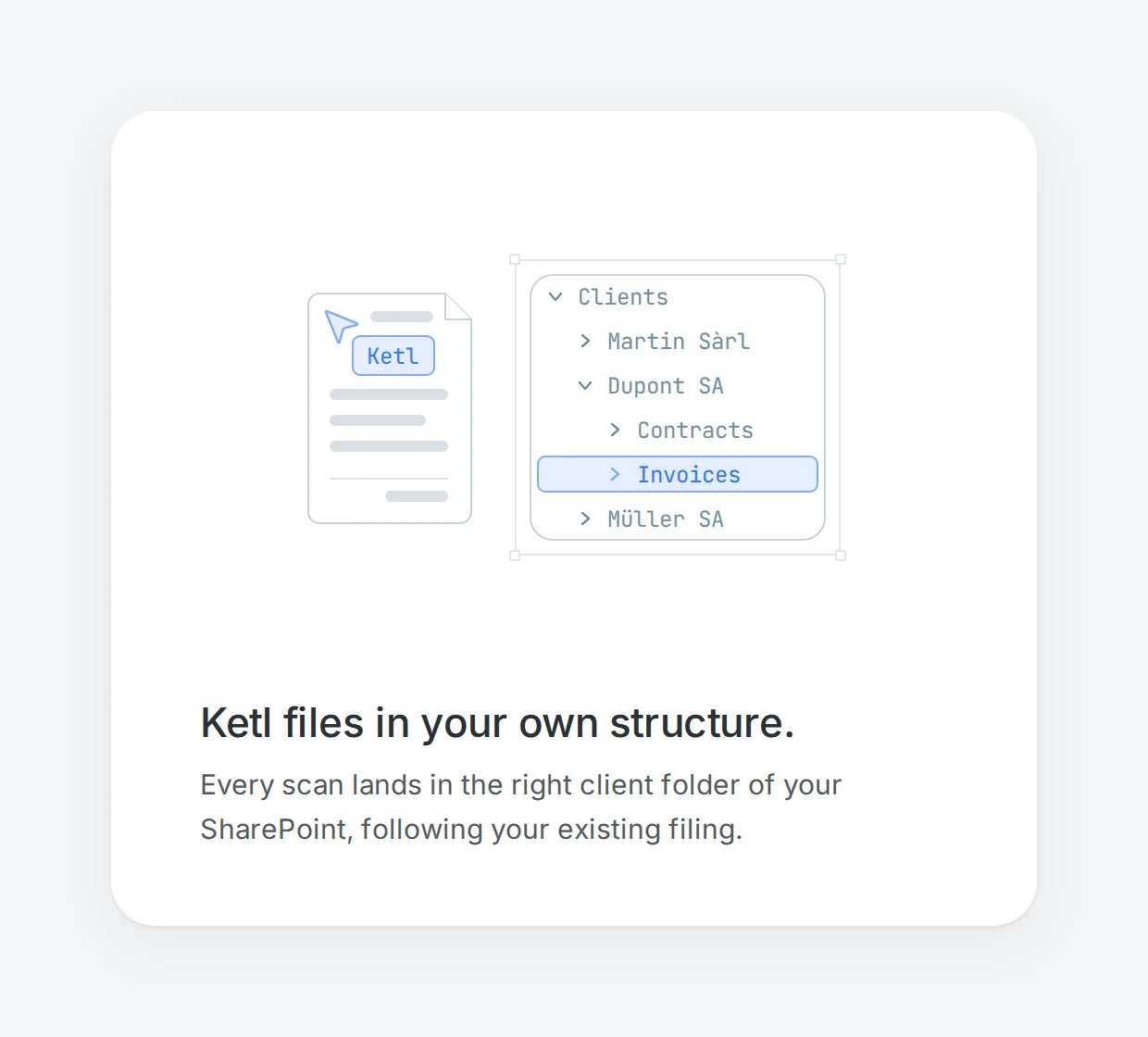
Ketl fits exactly this logic. Instead of imposing a new organisation on you, Ketl adapts to yours. It is an intelligent layer that sits on top of your existing environment: your data stays with you, on SharePoint or on a compatible sovereign storage, and Winbiz remains your accounting software. Everything stays in place: forced migration and relearning become unnecessary.
Above all, Ketl learns your structure over time: your filing, your chart of accounts, your working habits. The more documents it processes, the more precise it becomes. Modernisation unfolds step by step rather than in one go, and installs itself smoothly.
A three-step set-up
In practice, bringing Ketl into your firm takes three steps:
- Copy your data to SharePoint (or a compatible sovereign storage). You keep control of your data, right where it already sits.
- Ketl validates your folder structure. Ketl embraces your folder organisation rather than imposing a new one. Ketl offers standard configurations free of charge, which you can have adjusted if you have specific requirements.
- Import your clients from the Winbiz CRM. Ketl knows your clients from day one, with minimal IT effort.
In a few well-defined steps, Ketl is up and running while your business carries on.
The impact in daily work
Once in place, Ketl transforms the most time-consuming part of your work.
It collects and organises the files and emails received from your clients automatically: every scan and every attachment is filed in the right place, in the right client folder. Manual sorting disappears, misplaced documents too, and, as a bonus, the paper can finally go back to the client once digitised.
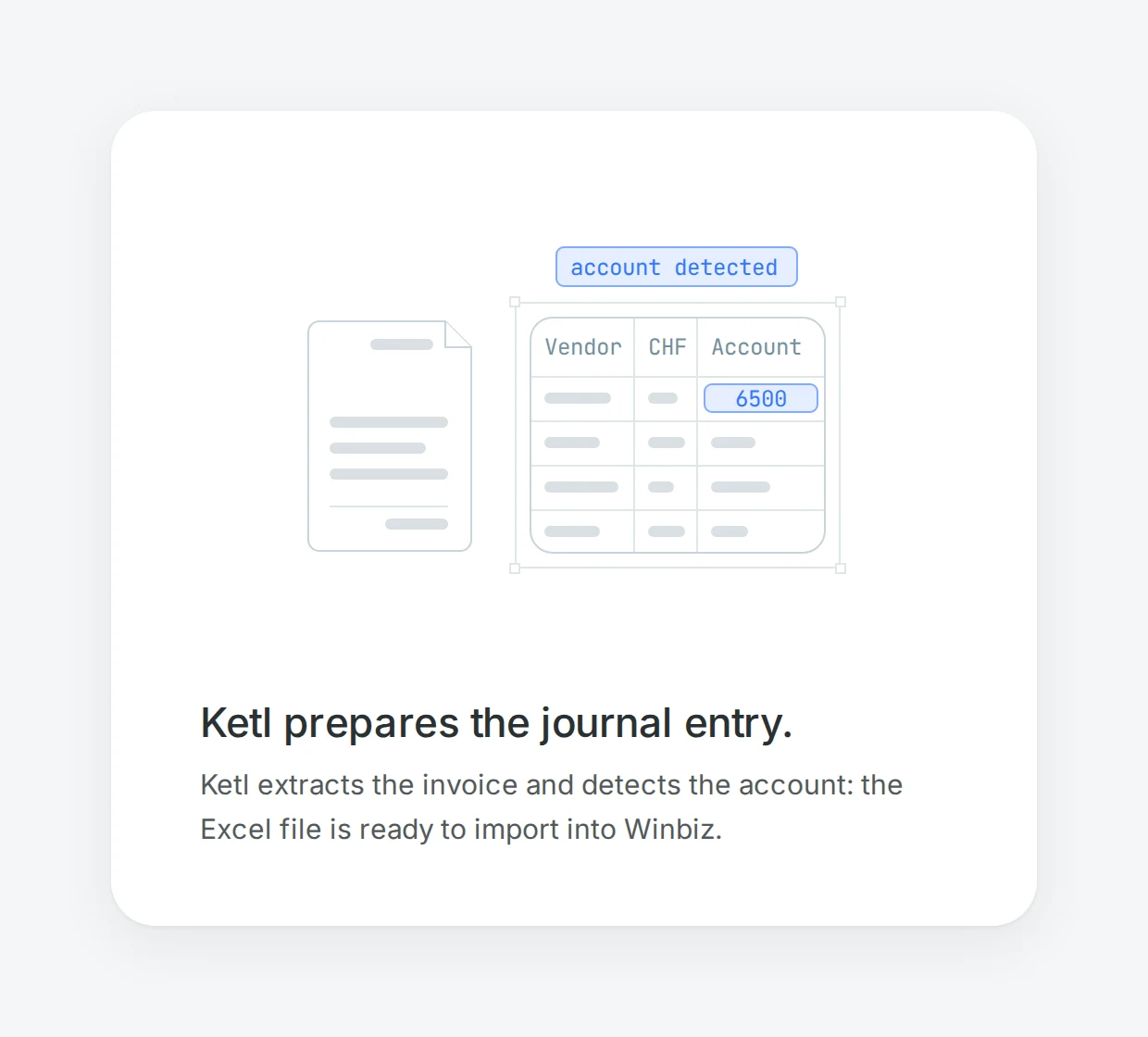
Then comes the step that really saves time: data entry in Winbiz. Ketl extracts the data from the invoices and hands it back to you as a simple Excel file, ready to import into Winbiz (an API connector is available on request, to go even further). Retyping each entry by hand becomes a thing of the past.
And because around 95% of an accounting firm's entries are linked to invoices, Ketl goes a step further: it identifies the posting account automatically at import. In other words, it delivers more than raw data, it prepares the entry. This is precisely where the time saving is concentrated.
This well-organised foundation also opens up other possibilities, such as making the documents that concern them available to your clients, a topic we will cover in a future article.
The result: less drudgery, more value
In the end, the benefit is easy to sum up. The cubic metres of paper go back to your clients once digitised. The hours of re-entry disappear. Your files are up to date and correctly filed. And your time, your most precious resource, moves to where it really counts: advice and the client relationship.
All of this with the same accounting software and the same habits in your teams.
FAQ
Do I need to change my accounting software to use Ketl?
Winbiz remains your accounting software. Ketl sits on top of it and complements it. Your entry habits and your chart of accounts stay unchanged.
Where is my data stored during the process?
In your own SharePoint environment, or a compatible sovereign storage of your choice. Your documents remain in your environment.
How long does the set-up take?
The process runs in three defined steps (copying the data, validating the folder structure, importing clients from Winbiz), while your activity continues and with minimal IT effort.
Can Ketl also automate the direct import into Winbiz?
By default, Ketl returns the extracted data as an Excel file ready to import. An API connector is available on request to automate this step further.
Shall we talk?
Already using Winbiz and SharePoint? Then the essentials are already in place. All that remains is to add the layer that removes the drudgery. Let's discuss your current organisation and see together what Ketl can automate for you.